
Step by step
- 1
Pick the photo
Choose a shot where each face is reasonably large and in focus; very big groups lose detail.
- 2
Upload it
JPG, PNG, WebP and iPhone HEIC files all work, from a phone or a computer.
- 3
Select Family poster
This option keeps everyone in the picture together in the same style.
- 4
Download or animate
Save the picture, run it again for another version, or press Make it move for a short video.
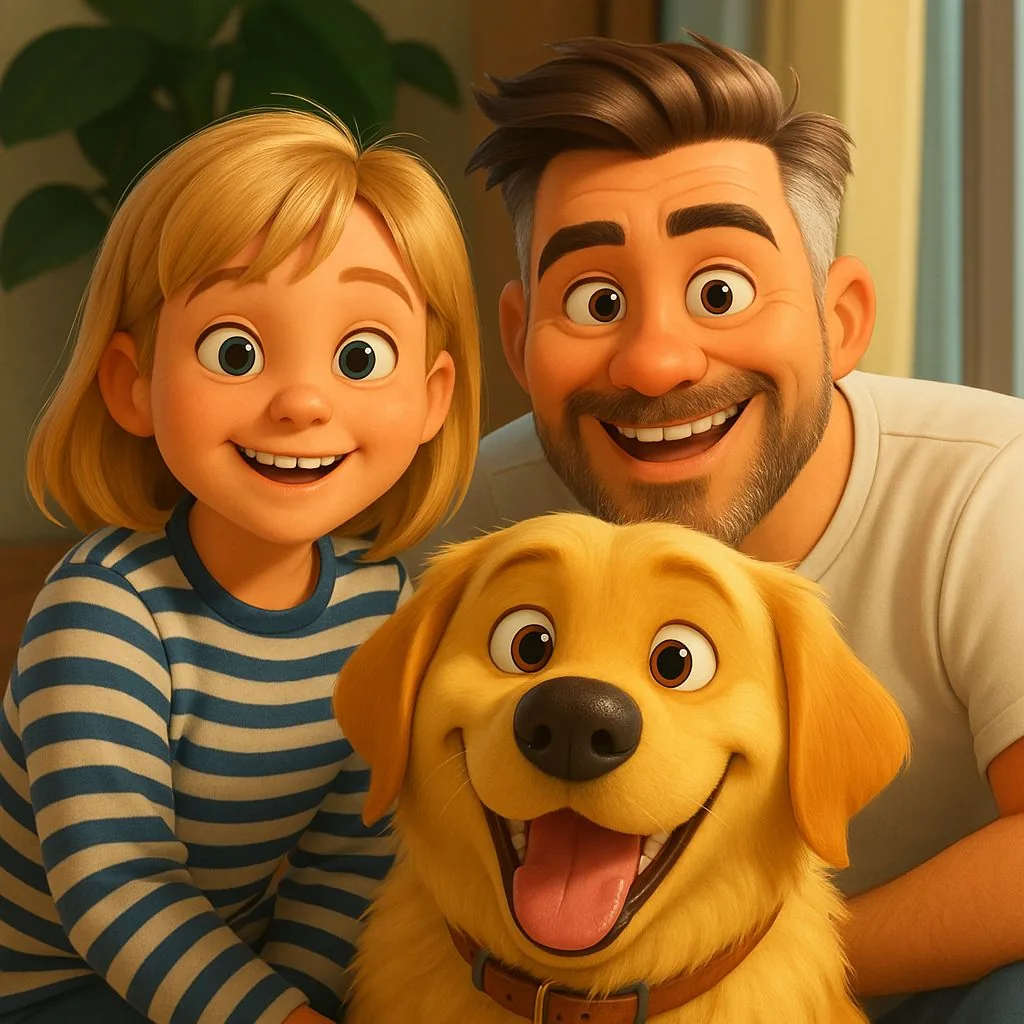
A real example
Tips that make it work
- Photos taken outdoors in open shade work well, because soft light keeps skin tones right.
- If grandma is tiny at the back of a big reunion shot, crop to a smaller group first.
- Check with older kids and relatives before you post the cartoon publicly.
Questions people ask
Is our family photo kept private?
Your upload and the result are stored in your own account and aren't shown in the public gallery. You can delete them any time.
Can the dog be in it too?
Yes. Pets in the photo are redrawn in the same style alongside everyone else.
Can I use it on a holiday card?
Yes. Download the picture, which has no watermark, and put it on a card, a mug or a framed print.
Ready to make yours?
The prompt above is written for exactly this. Start with it and change the details to fit.
Open Pixar Style AIRelated questions
- How do I turn a couple photo into a cartoon for our anniversary?
- How do I animate an old family photo?
- How do I make a still photo move with AI?
- How do I animate my sketch with AI?
- How do I animate my kid's drawing as a gift for the grandparents?
- How do I turn a video of myself into a cartoon?
- How do I turn my dog into a Pixar-style 3D character?
- How do I turn a clip from our wedding into a cartoon?