
Step by step
- 1
Choose a meaningful photo
Make sure both faces are clear and about the same size in the frame.
- 2
Upload and select Family poster
This option keeps both of you together in the same 3D movie style.
- 3
Try a few versions
Each run is drawn fresh, so make two or three and keep the one you like best.
- 4
Print, send or animate
Download it for a card or frame, or press Make it move and describe a hug or a slow dance.
A real example
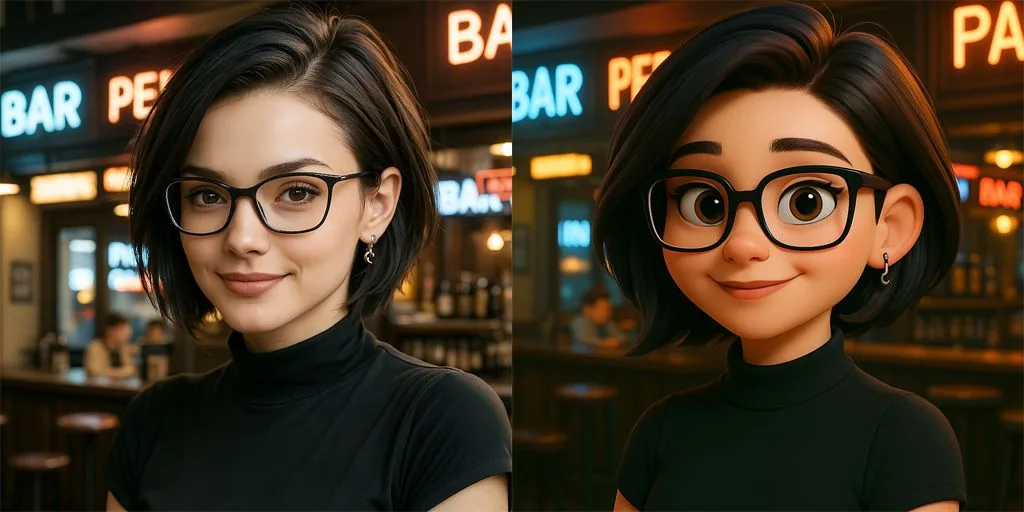
Tips that make it work
- Try a then-and-now gift: cartoon your first photo together and a recent one, and give both.
- Download the still picture before you animate it, so you have the full image for printing.
- Use a photo where you both like how you look; the cartoon keeps your expressions.
What it can't do yet
The tool can't write your names, your date or a greeting into the picture. Add the text in a design or card app after you download it.
Questions people ask
Can it turn us into a famous movie couple?
No. You become original characters in a 3D animated look; it doesn't copy existing film characters.
Can we make it move for a short anniversary video?
Yes. Make it move opens the video generator with your cartoon as the first frame; describe a hug or a kiss on the cheek. The video is charged separately from the picture.
Can I use a wedding photo with guests in the background?
Yes, but the tool redraws everyone it sees, so crop in on the two of you first for a cleaner portrait.
Ready to make yours?
The prompt above is written for exactly this. Start with it and change the details to fit.
Open Pixar Style AIRelated questions
- How do I animate an old family photo?
- How do I make a still photo move with AI?
- How do I animate my sketch with AI?
- How do I animate my kid's drawing as a gift for the grandparents?
- How do I turn a video of myself into a cartoon?
- How do I turn a clip from our wedding into a cartoon?
- How do I turn my dog into a Pixar-style 3D character?
- How do I turn my kid's soccer goal into a cartoon clip?